
// Home/// Automation lab/// Personal assistants on chat
Personal assistants on chat
Two small agents for learning n8n tools and memory: email drafting, and a Telegram voice agent that reads mail, calendar and tasks.
Part of a case studySee this build with the rest of the system, the deck and the screens.Open →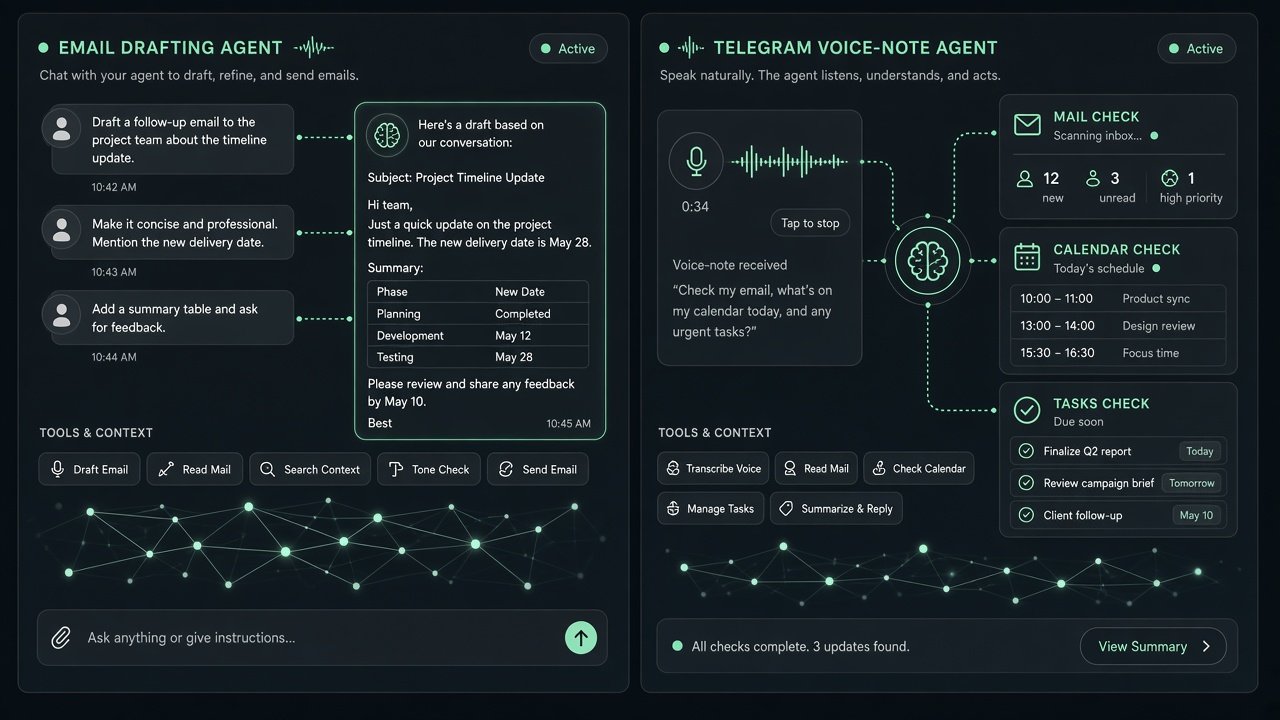
Two smaller agents I built while learning how n8n's AI Agent node handles tools and memory. One is a chat agent that can draft and send emails for me. The other, adapted from a community template, works over Telegram and accepts voice notes. It transcribes them and can then read my unread mail, check my calendar and add to my task list.
The actual n8n workflow
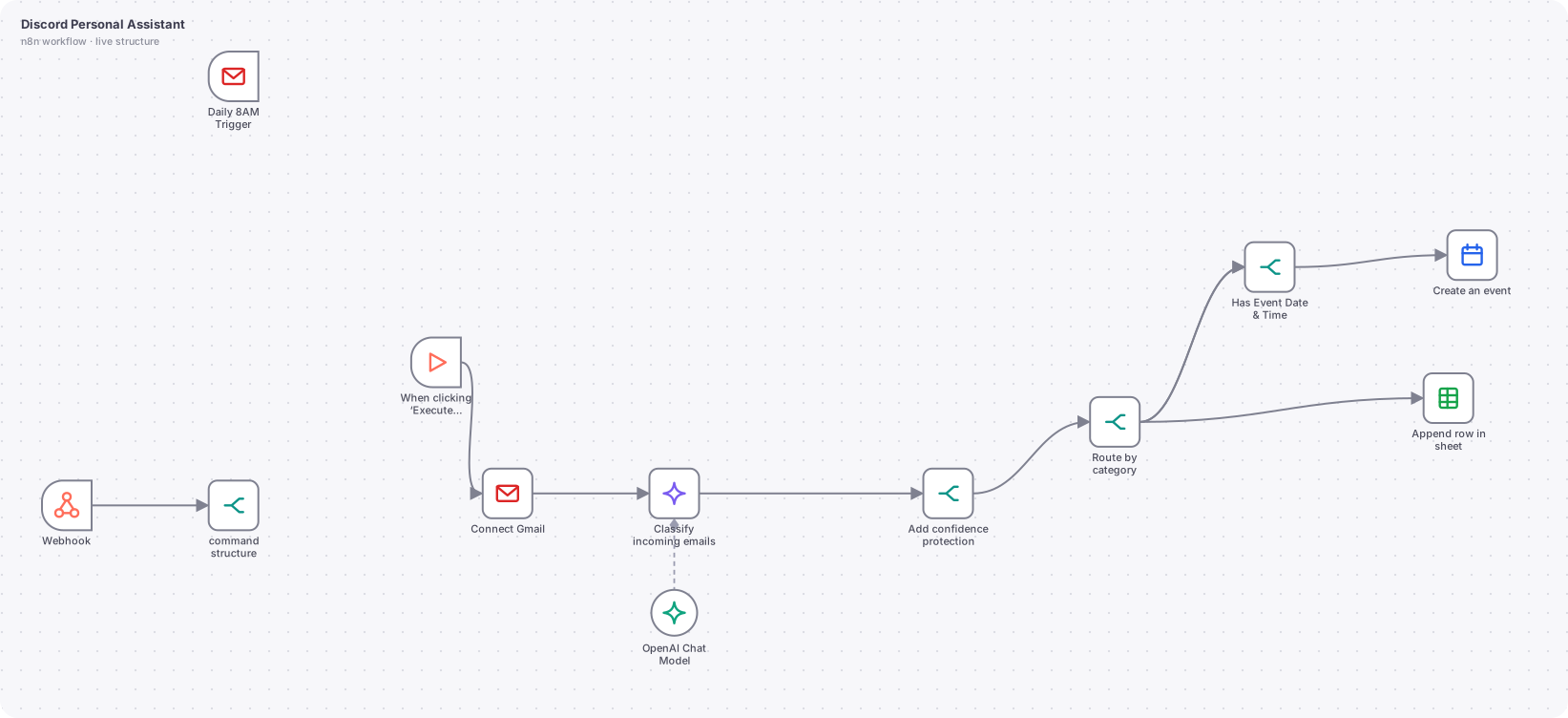
The actual n8n workflow
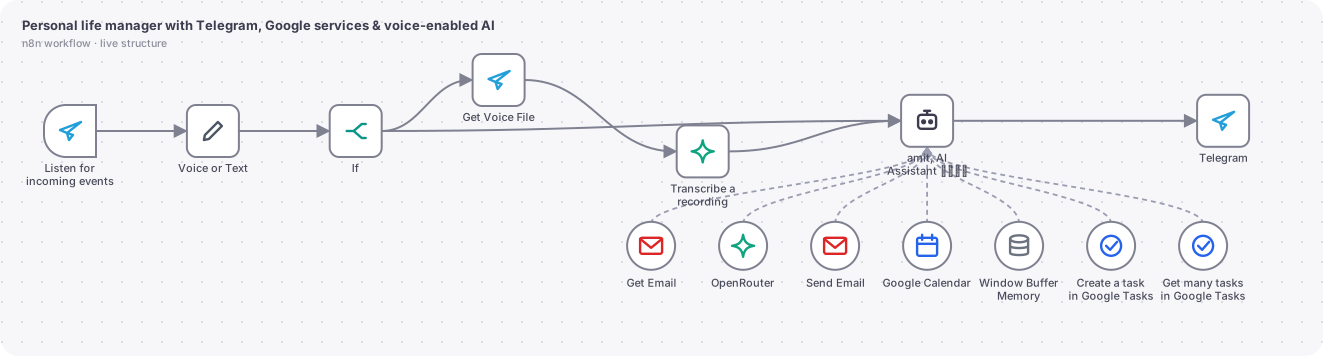
// Technical overview
Learning builds that explore how an n8n AI Agent uses tools and memory. Both are drafts or limited-use experiments, built to understand the pattern before using it in client work.
// Trigger
A chat trigger for the email agent. A Telegram trigger for the voice assistant.
// How it works, step by step
- 01
Chat email agent
Chat trigger to an AI Agent with a window memory of 10 messages and a Gmail send tool whose recipient, subject and body are filled by the model. It shows how to give a model one concrete action.
- 02
Voice or text normalisation
On Telegram, a voice note is downloaded and transcribed, then merged into the same text path as typed messages, so the agent has one input format.
- 03
Tool use
The Telegram assistant can read unread Gmail, send mail, list calendar events in an AI-chosen time window, and create or list Google Tasks.
- 04
Per-user memory
Memory is keyed by the Telegram user ID so every person has their own thread.
- 05
Reply
The answer returns to the same chat in Markdown.
// AI design
Models: OpenAI for the chat agent, OpenRouter for the Telegram agent, OpenAI for transcription. The system prompt covers persona, current date, how to summarise mail and a default of today when no date is given.
// What you can do with it
Ask your day
What is on my calendar and what mail needs attention, answered by voice or text.
Dictate tasks
Send a voice note and a task is created.
Quick mail drafting
Describe the message and the agent composes it.
// Guardrails
- Both are experiments and not exposed publicly.
- Send actions would need a confirmation step before wider use.
// Where it can go next
- Add a confirm before sending step with a button.
- Restrict recipients to an allow list.
- Add a daily summary on demand.
// Workflows in this project
Gmail chat agent
Learning build for tool use and memory.
Telegram life manager with voice
Adapted from a community template.
Hiring a design leader for an AI product?
I'm open to design leadership roles. Send me a note and I'll reply within two working days.